



CBCT Labs
DICOM file is separated into maxilla and mandible / teeth / inderior alveolar nerve / maxillary sinus / airway.


How to View CBCT Segmentation

Upload the Dicom file.

Through analysis, you can check
Maxilla & Mandible / Teeth / Inferior Alveolar Nerve / Maxillary Sinus / Airway by color.

You can download the analyzed Dicom as STL.
Ai Smile Creator
A brighter expression and a beautiful smile can be the strongest motivation for treatment.
With just one photo, AI Smile Creator reveals your ideal smile in advance.
Turn your dream smile into reality with a personalized treatment plan.
How to View Ai Smile Creator

Upload your photo
- Simply upload on image

Preview yoursmile
- Watch how your brighter, more
beautiful smile looks in a short
video.
Downlod the Result
- Save the file and take the first
step oward your dream smile.
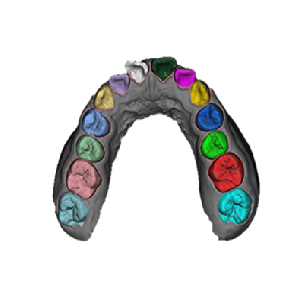
STL Based Segmentation
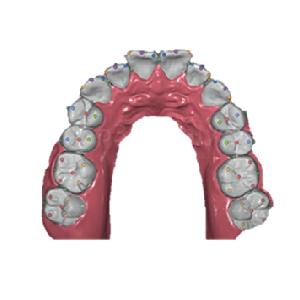
Experience advanced tooth segmentation directly from STL files.
With AI-powered technology, easily explore and separate individual teeth for precise planning.
How to View STL Segmentation

Upload your stl
- Simply upload STL file

Preview Segmentation
- Watch how AI separates and
visualizes each tooth in real time.
Downlod the Result
- Save the segmented file for
tretment planning or futher use.

R2 Ortho Prep
STL 데이터를 개별 치아 단위로 분리하여,
교정 설계 및 시뮬레이션을 경험해 보세요!